Managing alerts v10.4
Use the PEM client's Manage Alerts tab to define, copy, or manage alerts. To open the Manage Alerts tab, select Management > Alerts > Manage Alerts.
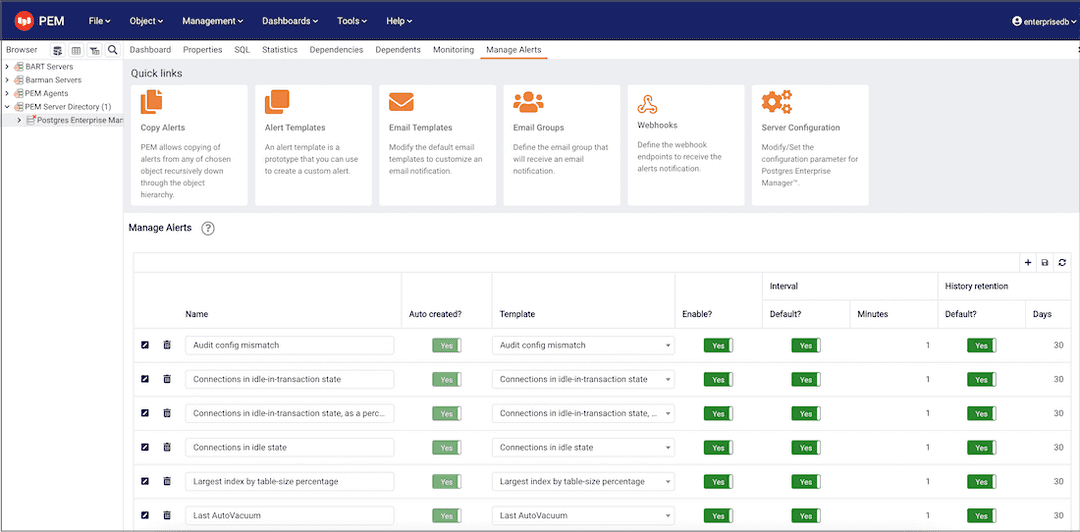
Use the Quick Links toolbar to open dialog boxes and tabs for managing alerts:
- Select Copy Alerts to open the Copy Alert Configuration dialog box and copy an alert definition.
- Select Alert Templates to open the Alert Template tab and modify or create an alert template.
- Select Email Templates to open the Email Template dialog box and modify the default email template to customize an email notification.
- Select Email Groups to open the Email Groups tab and modify or create an email group.
- Select Webhooks to open the Webhooks tab and create or manage the webhooks endpoints.
- Select Server Configurations to open the Server Configuration dialog box and review or modify server configuration settings.
Use the table in the Alerts section of the Manage Alerts tab to create new alerts or manage existing alerts.