Red Hat OpenShift v2.0.0
EDB Postgres® AI for CloudNativePG™ Global Cluster is a certified operator that can be installed on OpenShift using a web interface.
Ensuring access to the EDB private registry
Important
You need access to the private EDB repository where both the operator and operand images are stored. Access requires a valid EDB subscription plan. See Accessing EDB private image registries for details.
The OpenShift install uses pull secrets to access the operand and operator images, which are held in a private repository.
Once you have credentials to the private repo, you need to create
two pull secrets in the openshift-operators namespace:
pgd-operator-pull-secretfor the EDB Postgres Distributed for Kubernetes operator imagespostgresql-operator-pull-secretfor the EDB Postgres for Kubernetes operator images
You can create each secret using the oc create command by replacing <TOKEN> with
the repository token for your EDB account, as explained in
Get your token.
oc create secret docker-registry pgd-operator-pull-secret \
  -n openshift-operators \
  --docker-server=docker.enterprisedb.com \
  --docker-username=k8s \
  --docker-password="<TOKEN>"

oc create secret docker-registry postgresql-operator-pull-secret \
  -n openshift-operators \
  --docker-server=docker.enterprisedb.com \
  --docker-username=k8s \
  --docker-password="<TOKEN>"
Installing the operator
CRITICAL WARNING: UPGRADING OPERATORS
OpenShift users, or any customer attempting an operator upgrade, MUST configure the new unified repository pull secret (docker.enterprisedb.com/k8s) before running the upgrade. If the old, deprecated repository path is still in use during the upgrade process, image pull failure will occur, leading to deployment failure and potential downtime. Follow the Central Migration Guide first.
The EDB CloudNativePG Global Cluster operator can be found in the Red Hat OperatorHub directly from your OpenShift dashboard.
- From the hamburger menu, select Operators > OperatorHub.
- In the web console, use the search box to filter the listing.
For example, enter
EDBorpgd: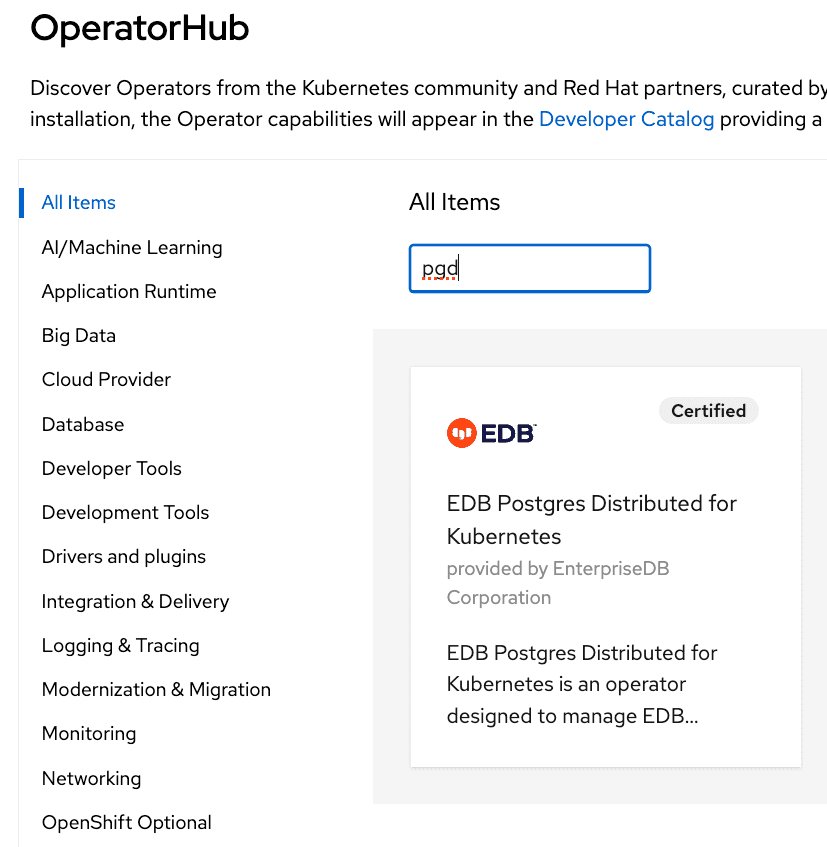
- Read the information about the operator and select Install.
- In the Operator Installation page, select:
- The installation mode. Cluster-wide is currently the only mode.
- The update channel (currently preview).
- The approval strategy, following the availability on the marketplace of
a new release of the operator, certified by Red Hat:
- Automatic: OLM upgrades the running operator with the new version.
- Manual: OpenShift waits for human intervention by requiring an approval in the Installed Operators section.
Note
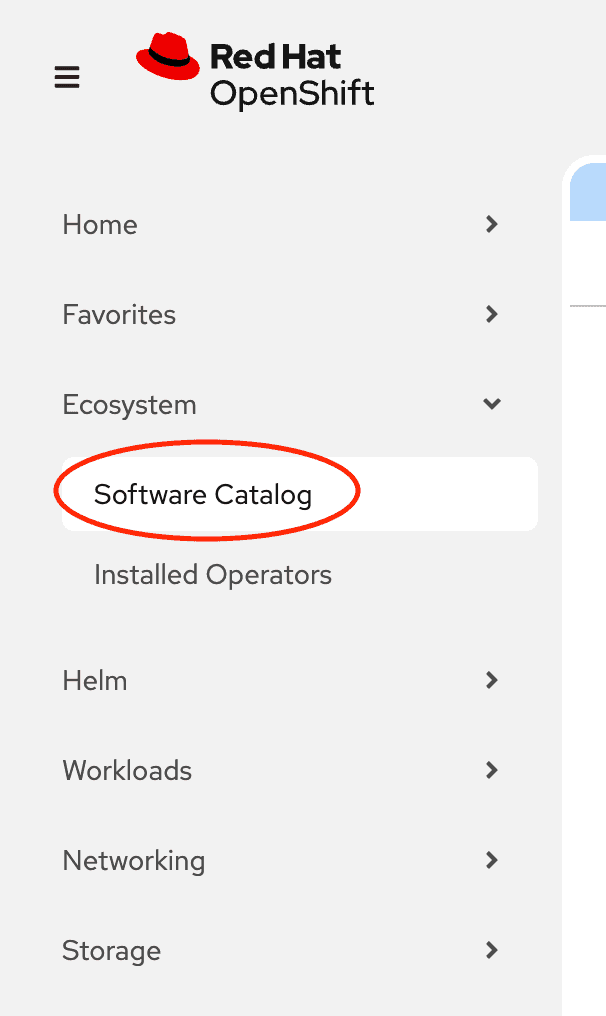
If you are running with OpenShift 4.20 or later, OperatorHub has been integrated into the
Software Catalog. In the web console, navigate to Operators -> Software Catalog
and select a Project to view the software catalog.
Cluster-wide installation
With cluster-wide installation, you're asking OpenShift to install the
operator in the default openshift-operators namespace and to make it
available to all the projects in the cluster.
This is the default and normally recommended approach to install EDB Postgres
Distributed for Kubernetes.
From the web console, for Installation mode, select All namespaces on the cluster (default).
On installation, the operator is visible in all namespaces. In case there
were problems during installation, check the logs in any pods in the
openshift-operators project on the Workloads > Pods page
as you would with any other OpenShift operator.
Beware
By choosing the cluster-wide installation, you can't easily move to a single-project installation later.
Creating a PGD cluster
After the installation by OpenShift, the operator deployment
is in the openshift-operators namespace. Notice the cert-manager operator was
also installed, as was the PG4K operator
(postgresql-operator-controller-manager).
$ oc get deployments -n openshift-operators
NAME                                            READY   UP-TO-DATE   AVAILABLE   AGE
cert-manager-operator                           1/1     1            1           11m
pgd-operator-controller-manager                 1/1     1            1           11m
postgresql-operator-controller-manager-1-20-0   1/1     1            1           23h
…
After checking that the pgd-operator-controller-manager deployment is READY,
you can start creating PGD clusters. The EDB CloudNativePG Global Cluster
repository contains some useful sample files.
You must deploy your PGD clusters on a dedicated namespace/project. The default namespace is reserved.
First, create a new namespace, then deploy a
self-signed certificate Issuer
in it:
oc create ns my-namespace
oc apply -n my-namespace -f \
  https://raw.githubusercontent.com/EnterpriseDB/edb-postgres-for-kubernetes-charts/main/hack/samples/issuer-selfsigned.yaml
Using PGD in a single OpenShift cluster in a single region
Now you can deploy a PGD cluster, for example a flexible 3-region, which
contains two data groups and a witness group. You can find the YAML manifest
in the file flexible_3regions.yaml.
oc apply -f flexible_3regions.yaml -n my-namespace
Your PGD groups start to come up:
$ oc get pgdgroups -n my-namespace
NAME       DATA INSTANCES   WITNESS INSTANCES   PHASE                PHASE DETAILS   AGE
region-a   2                1                   PGDGroup - Healthy                   23m
region-b   2                1                   PGDGroup - Healthy                   23m
region-c   0                1                   PGDGroup - Healthy                   23m
Using PGD in multiple OpenShift clusters in multiple regions
To deploy PGD in multiple OpenShift clusters in multiple regions, you must first establish a way for the PGD groups to communicate with each other.
Configuring the connectivity is outside the scope of this documentation. However, once you've established connectivity between the OpenShift clusters, you can deploy PGD groups synced with one another.
Channel
EDB CloudNativePG Global Cluster is distributed through the following OLM channels, each serving a distinct purpose:
candidate: this channel provides early access to the next potential release. It includes the latest pre-release versions with new features and fixes, but is considered experimental and not supported. Use this channel only for testing and validation purposes—not in production environments. Versions incandidatemay not appear in other channels if no further updates are recommended.stable: this channel provides the latest stable operator release that supports PGD version 5. Releases in this channel follow the version format1.x.y, wherexmatches the supported PG4K LTS release andyis the patch version.stable-v2: this channel provides the latest stable operator release that supports PGD version 6. Releases in this channel follow the version format2.x.y, wherexmatches the supported PG4K LTS release andyis the patch version.
Dependencies
The EDB CloudNativePG Global Cluster operator (PGD4K) on OpenShift has the following dependencies:
- PG4K operator (PG4K): At least PG4K v1.28.0 is required to manage PGD v6.0.0 and later versions.
- cert-manager: At least cert-manager v1.10.0 is required to manage TLS certificates for secure communication between PGD nodes.
For more details about the supported versions for each release, see Supported versions. Be aware that you can install or upgrade the PGD4K operator only when those dependencies are met.