These dashboards were designed by EDB to provide insights into the performance and health of Postgres databases you manage or monitor with Hybrid Manager (HM).
Hardware Utilisation
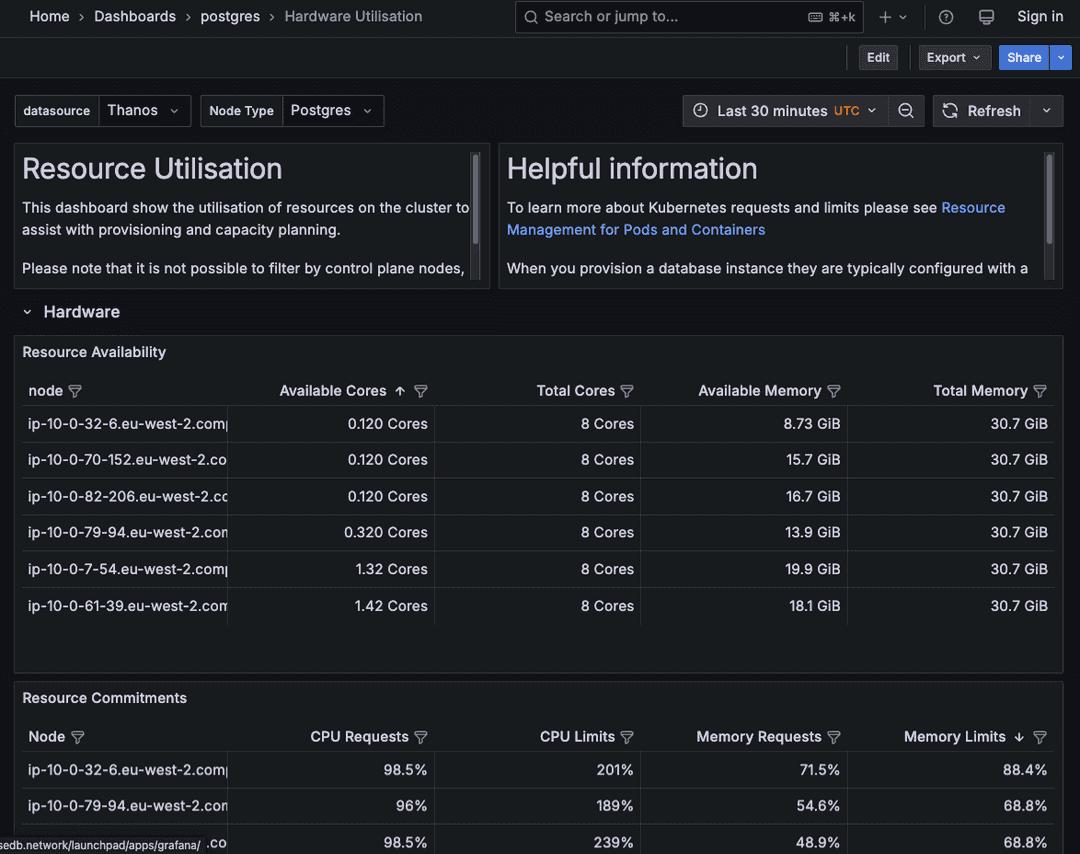
Description: Shows the underlying hardware resource utilization (cores, memory, CPU) of the nodes hosting your Postgres instances.
Metrics: Available and total cores per node, available and total memory per node, CPU requests and limits per node, Postgres pods per node count, pod status, and more.
Usage: Use this to identify capacity bottlenecks and see if you have oversubscribed and if nodes have been overscheduled.
Kubernetes Events
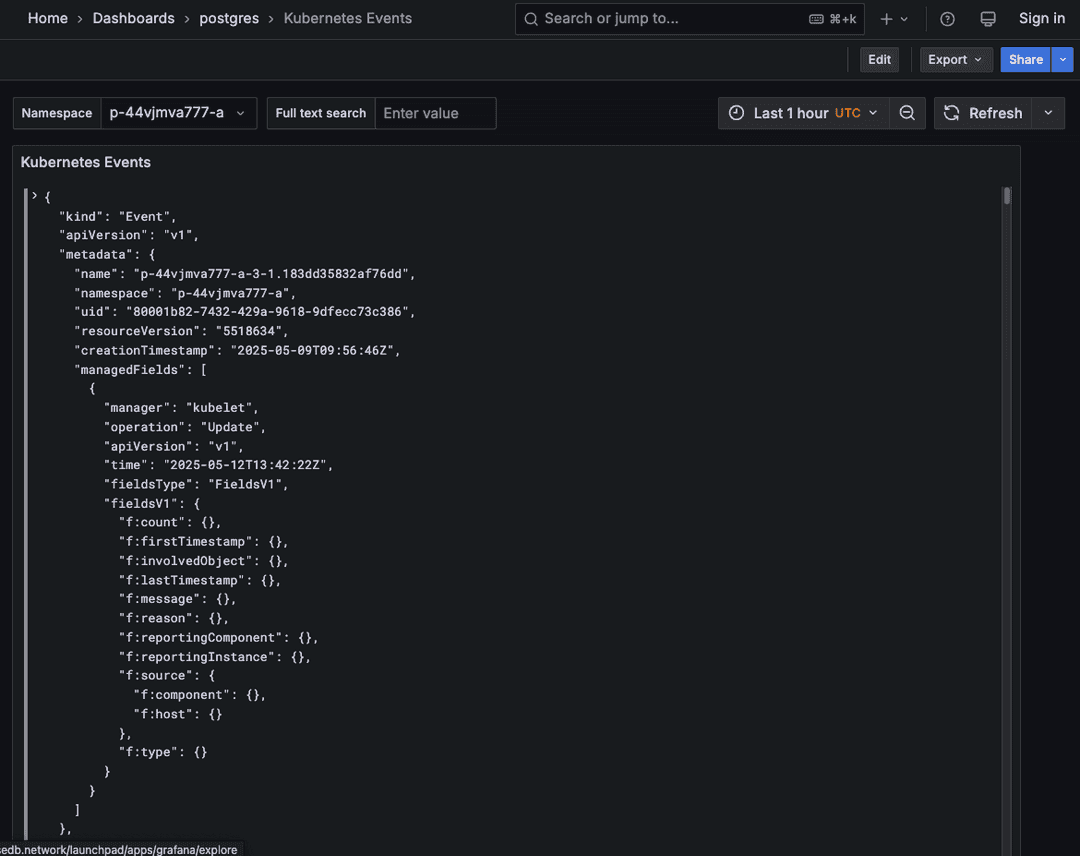
Description: Displays Kubernetes events related to your Postgres pods and deployments. It displays events of the last hour. Therefore, it's possible that no events are shown for the specified namespace, for example, if workloads are running smoothly and no Kubernetes events are required to restore a pod.
Metrics: Type of event (for example, pod creation, deletion, error) in YAML format.
Usage: Provides context into Kubernetes operations that might be impacting your Postgres instances. Useful for diagnosing failed deployments, pod restarts, or other Kubernetes-level issues affecting database availability.
PGD Overview
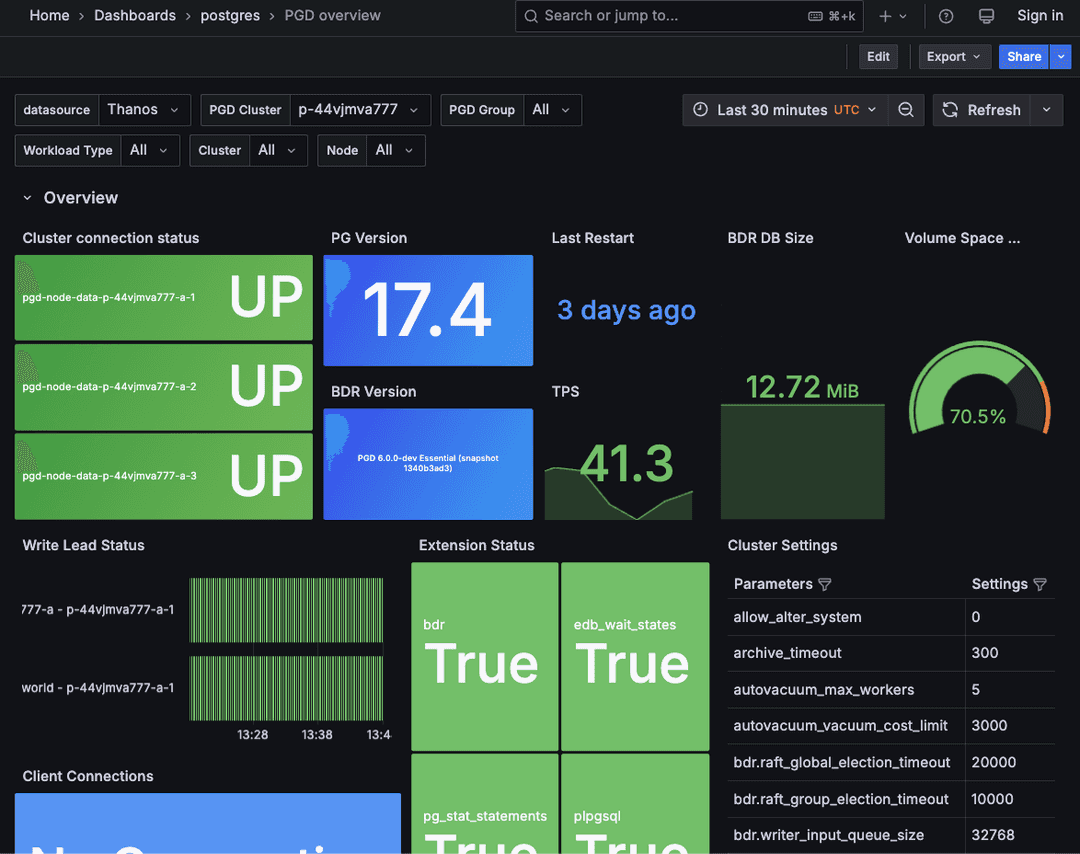
For distributed high availability (DHA or PGD) clusters only.
Description: Provides an overview of how your distributed high availability PGD cluster is performing, focusing on its replication capabilities.
Metrics: PGD and BDR versioning, data node status, version, Raft state and metrics, BDR worker state and metrics, replication status, connections, throughput, and more.
Usage: Gives a central view of the health and synchronization status of your cluster. Identify nodes that are lagging or unhealthy and monitor the overall performance of the distributed setup.
Postgres Estate Statistics
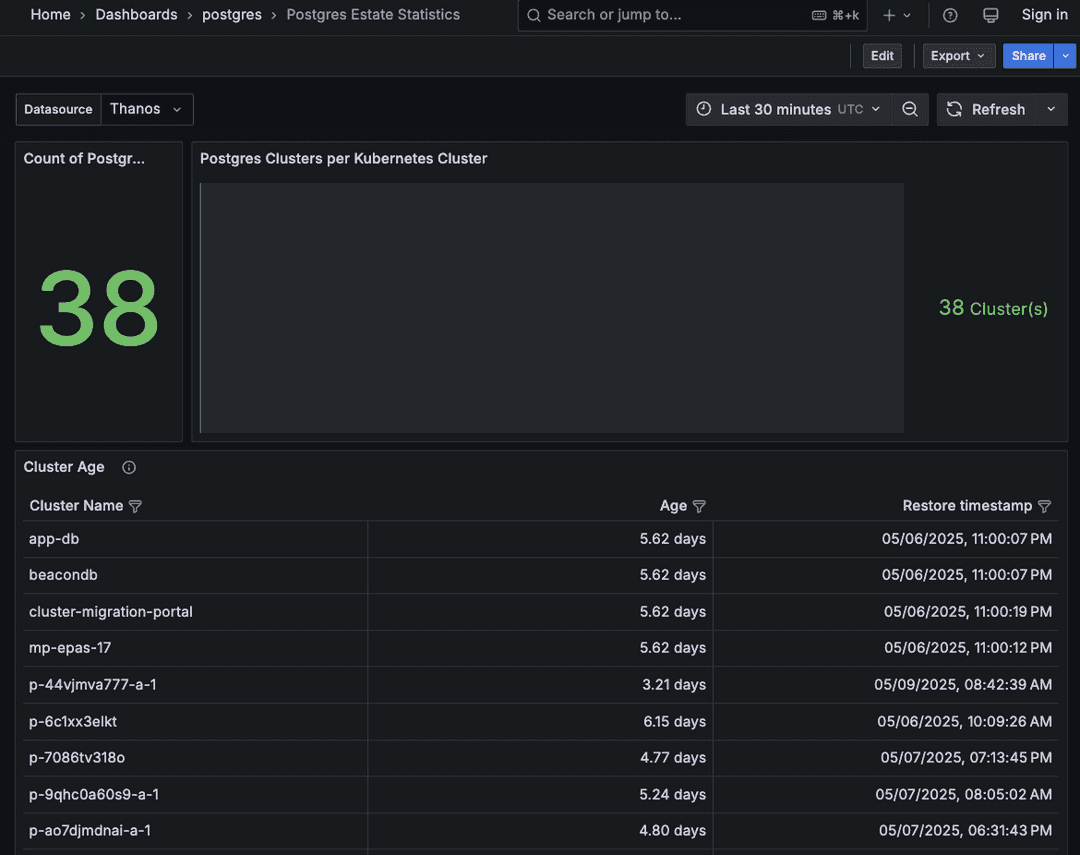
Description: Offers a fleet-wide view of the clusters you're running.
Metrics: List and count of all running clusters, their age, and latest restore stamp.
Usage: Provides a high-level overview of the clusters under your estate.
Postgres logs
Description: You can view Postgres server logs.
Metrics: Logs in text form.
Usage: Provides a visual overview of Postgres log data, enabling quick identification of trends and errors. Use this for real-time log analysis and troubleshooting.
Postgres Status
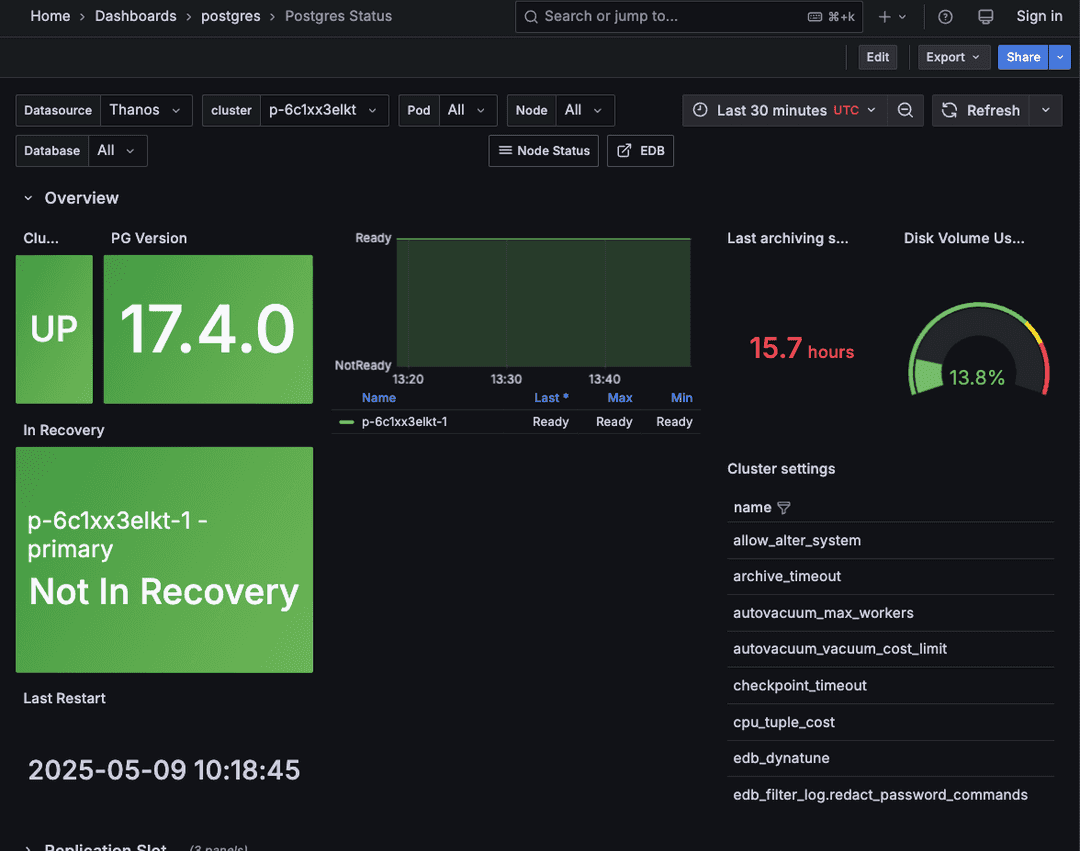
For all cluster types (single-node and multiple nodes).
Description: Provides an overview of how your individual Postgres instances are performing.
Metrics: Cluster status, Postgres version, pod status, replication status and lag, connections, throughput, resource utilization, WAL filing status, and more.
Usage: Provides a central view of the health and activity of individual Postgres databases. Identify instances with high load, connection issues, replication lag, or other performance issues that may require investigation.