
Things to Love About Hybrid Manager, Part 1: The API

There are many things to love about Hybrid Manager. One of my favorite things is the API. Anything that can "speak REST" can use this API.
I'm going to show you how to create a Postgres cluster in Hybrid Manager via the API, using bash and curl.
Security
Unsurprisingly, Hybrid Manager's API has security requirements. This step only has to be done once, but let’s not sidestep it; let's dive in and create a "machine user" and associated API key.
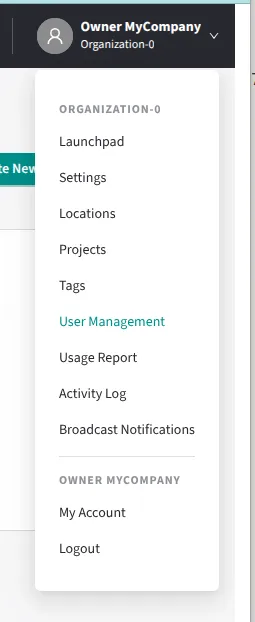
here is a users link in the drop-down in the upper-right of Hybrid Manager's UI. Click it:
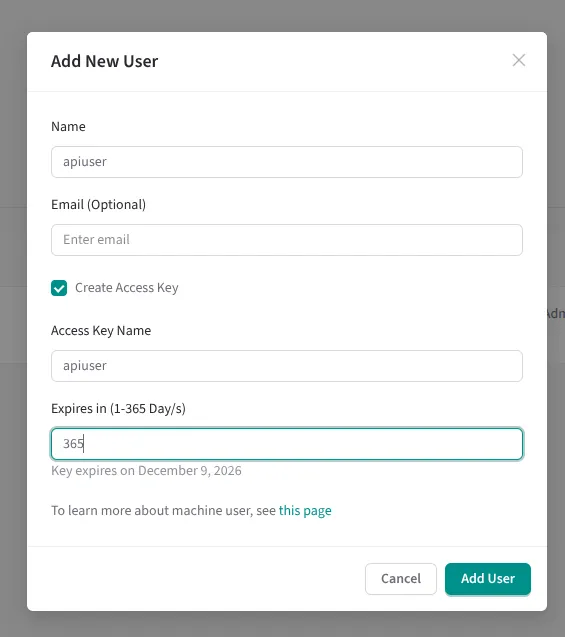
Then check the "Create Access Key" box and put in an expiry date for the key.
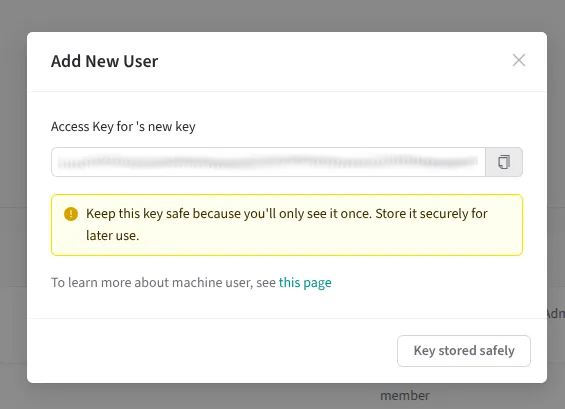
Save the API key!
Permissions for Your Project
This gets interesting: you want to grant permissions to the machine user (and associated API key) to your project.
So ensure your project is selected
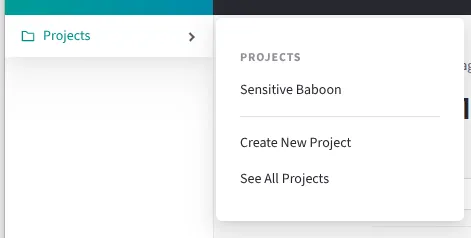
And once the name of your project is in the top of the left-hand nav, select the "Users" link in the left-hand nav.
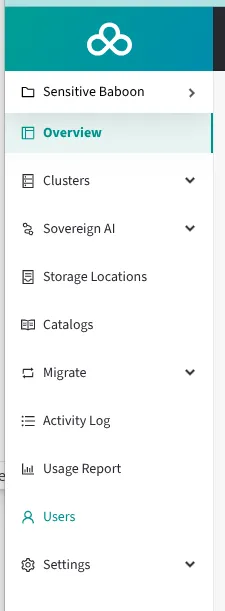
The machine user will be listed on the resulting page. Click the pencil icon to edit the machine user:

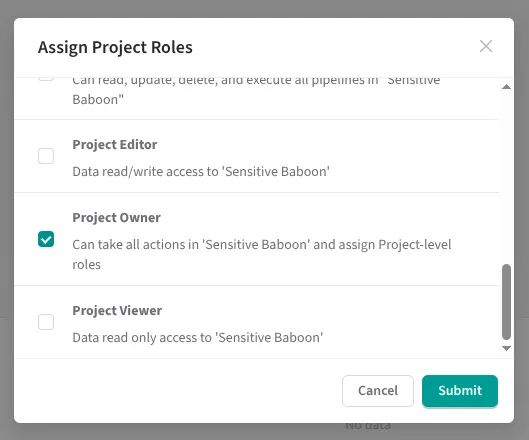
and on the resulting page, click the "Assign Roles" button:

Then assign the required role to the machine user so that Postgres clusters can be created. For demonstration purposes, I ignored the Principle of Least Privilege and just gave my machine user the Project Owner privilege, which I know is a privilege that can create Postgres Clusters.
Gather other required bits of data
Let's start building an `env.sh` file that our `bash` scripts can source.
We already have our API key:
export HM_API_ACCESS_KEY="baak_XXXXXXXXXXXXXXXXXXXXXXXXXXXXXXXXXXX"Let's grab our project ID from the URL in our browser:

Let's grab the hostname of our Hybrid Manager endpoint from the browser URL as well. Now our `env.sh` file looks like this:
export HM_API_ACCESS_KEY="baak_XXXXXXXXXXXXXXXXXXXXXXXXXXXXXXXXXXX"
export HM_PROJECT_ID="prj_jJbUkkVsxiY8RdAM"
export HM_API_URL_PREFIX="https://portal.somehostname.org"
Now, notice at the bottom of every page in Hybrid Manager is a link to the API:

Click on it.
You will see that all of the API's endpoints (including parameters, inputs, and outputs) are described here.
Get Location
We want to get the locations of our Docker Postgres images before we can build a Postgres cluster. The reason why is that we need the URL and sha256 of the Docker image for the particular flavor and version of Postgres we want to run.
Here is a bash script that sources our `env.sh` file and queries the API for a list of all locations of Docker Postgres images:
#!/bin/bash
set -e
set -u
set -o pipefail
HERE=$(dirname ${BASH_SOURCE[0]})
source ${HERE}/env.sh
curl \
 --header "Content-Type: Application/JSON" \
 --header "x-access-key: ${HM_API_ACCESS_KEY}" \
 --request GET \
 "${HM_API_URL_PREFIX}/api/v1/projects/${HM_PROJECT_ID}/locations" \
 | jq
When I ran this script myself, I captured the output to a json file like so:
$ chmod +x ./get-locations.sh
$ ./get-locations.sh > locations.json
Pick a Container Image
Look for the "locationId" of each returned location. For each location, look at the available images. Pick an image that is the "type" and "version" and "flavor" you are looking for. In my environment, I have a location named "managed-primary", and the container image and digest for the image that I want looks something like this:
"imageRef": {
  "url": "url.to.private.docker.repository.org/postgresql:17.7-2511270747",
  "digest": "sha256:636f1d1c9865e95e43c593d26b35214df533af977605c084395f4a20e9dbde67"
},
Create the JSON file
We can now start building our input JSON file for the create postgres cluster endpoint!
Naturally, the link to the API docs tells us what this input JSON file is supposed to look like.
I opted for the simplest JSON file possible:
{
 "projectId": "${HM_PROJECT_ID}",
 "psr": {
   "clusterName": "Basic Cluster",
   "password": "XXXXXXXXXXXX",
   "locationId": "managed-primary",
   "clusterData": {
     "instances": 1,
     "storageConfiguration": {
       "primaryStorage": {
         "size": "1"
       }
     },
     "image": {
       "url": "url.to.private.docker.repository.org/postgresql:17.7-2511270747",
       "digest": "sha256:636f1d1c9865e95e43c593d26b35214df533af977605c084395f4a20e9dbde67"
     }
   }
 }
}
Notice that I have "${HM_PROJECT_ID}" instead of the actual project ID. This is because I have already gone through the trouble of saving my project ID to my env.sh file, so instead of repeating the info in my JSON file, I will just use envsubst to substitute it in later.
Create the bash Script
Here is the bash script that uses this JSON file:
#!/bin/bash
set -e
set -u
set -o pipefail
HERE=$(dirname ${BASH_SOURCE[0]})
source ${HERE}/env.sh
cat create-cluster.json | envsubst > /tmp/create-cluster.json
curl \
 --header "Content-Type: Application/JSON" \
 --header "x-access-key: ${HM_API_ACCESS_KEY}" \
 --data-binary "@/tmp/create-cluster.json" \
 --request POST \
 "${HM_API_URL_PREFIX}/api/v1/projects/${HM_PROJECT_ID}/clusters"
Note again how I use envsubst to fill in any env vars in create-cluster.json.
Run the bash script
Let's run this script:
$ chmod +x ./create-cluster.sh
$ ./create-cluster.sh
{"clusterId":"p-b9pgze95as"}
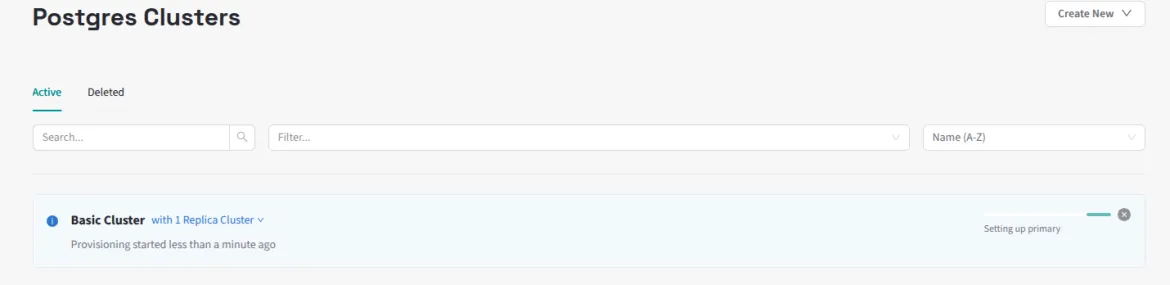
The API responds with the cluster ID of our new Postgres cluster. We can watch the cluster get created in the UI:
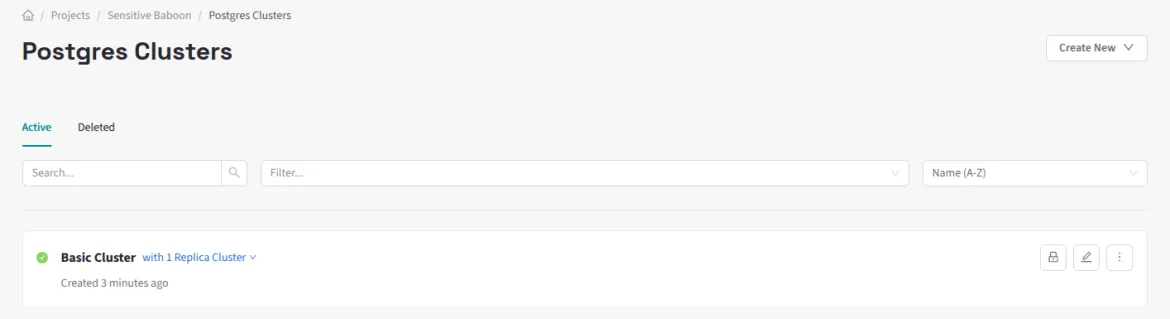
And then after enough time passes, we will see that our Postgres cluster has been created.
Conclusion
Although the security steps add some initial work, that's essentially a one-time cost. After that, the API docs, bash, and curl are all you need to start interacting with Hybrid Manager in a way that's scriptable and automatable.